Schenectady Photographic Society

Menu

Author: Webmaster

Photoshop Roadmap Weekly #4

Photoshop Roadmap Weekly #4

This week, we'll explore powerful tools and techniques to enhance your Photoshop skills and inspire new creative ideas. A quick and effective 1-Minute Skin Retouch Action tutorial shows how to polish portraits with ease. Nature's beauty will be reimagined as you learn to transform a wildlife photo into a fine art piece, capturing the essence of the […]

Read more: Photoshop Roadmap Weekly #4
The Enchanted Forest Path Free Backgrounds Collection

The Enchanted Forest Path Free Backgrounds Collection

The Enchanted Forest Path is a mesmerizing collection of 25 high-resolution illustrations that transports viewers into a world where magic lingers in every shadow and sparkles in every leaf. Each image captures the otherworldly beauty of a mystical forest, illuminated by soft twilight, shimmering stardust, and mysterious lights that guide the way along winding trails. […]

Read more: The Enchanted Forest Path Free Backgrounds Collection
Create a Depth Waves Scan Photo Effect in Photoshop

Create a Depth Waves Scan Photo Effect in Photoshop

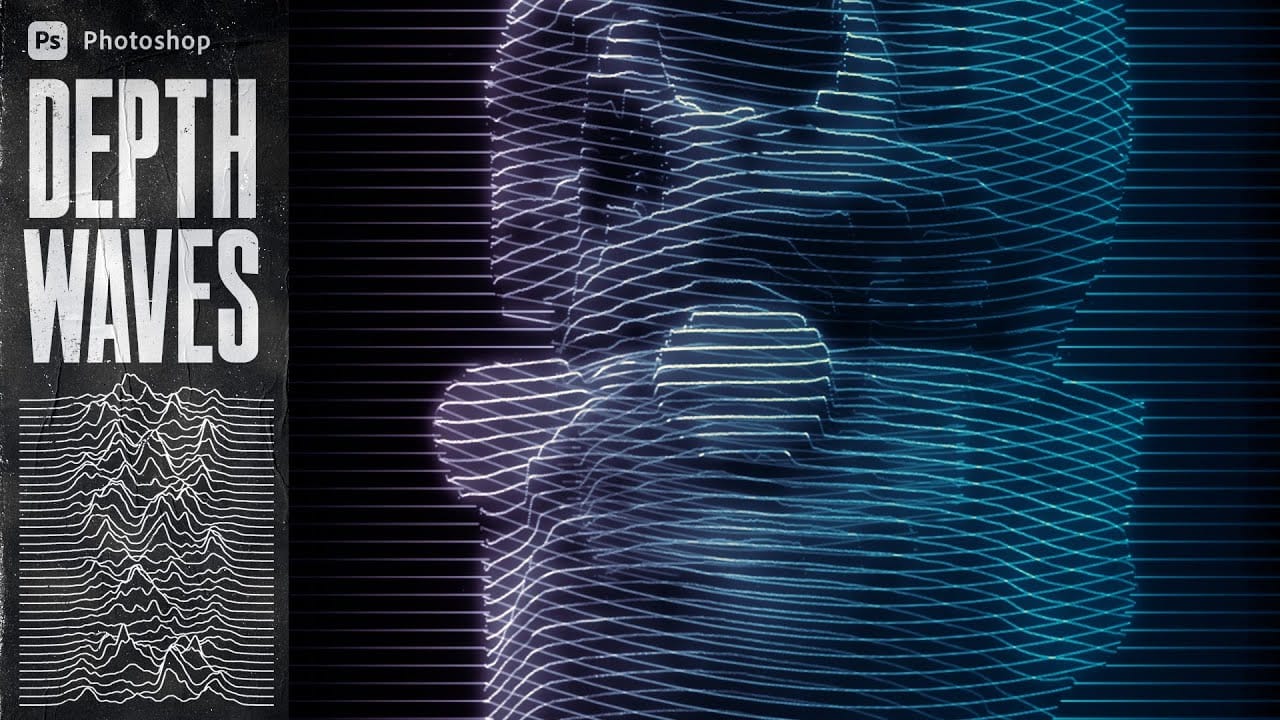
This tutorial guides readers through creating a Depth Waves Scan Photo Effect in Photoshop using the Displace Filter. Throughout the video, essential techniques are revealed, allowing you to produce impressive wireframe-style wave scan images. The tutorial emphasizes generating Depth Maps within Photoshop, offering a step-by-step approach to mastering this unique effect. You will learn how […]

Read more: Create a Depth Waves Scan Photo Effect in Photoshop
How to Dodge and Burn in Photoshop

How to Dodge and Burn in Photoshop

In this tutorial by Aaron Nace from Phlearn, you will learn essential techniques for dodging and burning in Photoshop. This process is vital for enhancing portrait images and ensuring graphic elements integrate seamlessly. The tutorial covers the use of the Super Zoom feature, which allows you to upscale graphics without compromising their resolution. Another key […]

Read more: How to Dodge and Burn in Photoshop