Schenectady Photographic Society

Menu

Author: Webmaster

How to Create a Steel Engraving Effect from Photos in Photoshop

How to Create a Steel Engraving Effect from Photos in Photoshop

Steel engravings were a traditional printmaking technique that created intricate illustrations with fine lines and rich tonal variation. This effect transforms ordinary photographs into artwork that mimics the detailed crosshatching and precise lines characteristic of vintage engravings found in old books and currency. The technique combines strategic filter combinations with Read the full article here: […]

Read more: How to Create a Steel Engraving Effect from Photos in Photoshop
Creating a Fantasy Photo Composite with Grapes as Balloons in Photoshop

Creating a Fantasy Photo Composite with Grapes as Balloons in Photoshop

Transform ordinary photographs into whimsical fantasy scenes using creative vision and modern compositing tools. This detailed walkthrough demonstrates how to build a surreal image of a young girl floating through the sky, held aloft by grapes reimagined as colorful balloons. The project combines just two main photos—a portrait and Read the full article here: Creating […]

Read more: Creating a Fantasy Photo Composite with Grapes as Balloons in Photoshop
How to Use Photoshop's Auto Distraction Removal Tool

How to Use Photoshop's Auto Distraction Removal Tool

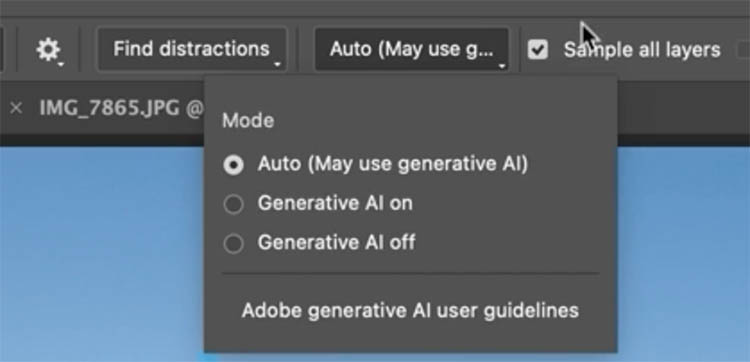
Removing unwanted elements from photos used to require hours of careful work with clone stamps and healing brushes. The new General Distractions feature in Photoshop's Remove Tool changes this completely by automatically detecting and eliminating distractions across 26 different categories with a single click. This AI-powered upgrade can Read the full article here: How to […]

Read more: How to Use Photoshop's Auto Distraction Removal Tool
How to Apply Gradients to Any Object Using Hue/Saturation and Layer Masks

How to Apply Gradients to Any Object Using Hue/Saturation and Layer Masks

Changing colors and adding gradients to clothing or objects in photos requires precise selection techniques to avoid affecting surrounding elements like skin tones. This method combines hue/saturation adjustment layers with layer masks to create stunning gradient effects while maintaining full control over which parts of your image are affected. Read the full article here: How […]

Read more: How to Apply Gradients to Any Object Using Hue/Saturation and Layer Masks
How to Use Layer Filtering to Organize Complex Projects in Photoshop

How to Use Layer Filtering to Organize Complex Projects in Photoshop

When working with dozens of layers in complex composites or designs, finding specific elements becomes a time-consuming challenge. The layer filtering system in the Layers panel offers powerful tools to instantly isolate different types of content, making organization and editing far more efficient. These filtering options help you quickly group Read the full article here: […]

Read more: How to Use Layer Filtering to Organize Complex Projects in Photoshop