
Schenectady Photographic Society

Menu

photoshop-roadmap

How to Create a Vintage Collage Effect with Halftone Patterns in Photoshop

How to Create a Vintage Collage Effect with Halftone Patterns in Photoshop

Vintage collage effects combine the nostalgic appeal of old-school printing techniques with modern digital artistry. This technique uses halftone patterns, emboss effects, and strategic layering to transform ordinary portraits into striking retro compositions that evoke classic album covers and vintage advertisements. The process involves duplicating layers with different treatments, applying Read the full article here: […]
Read more: How to Create a Vintage Collage Effect with Halftone Patterns in Photoshop
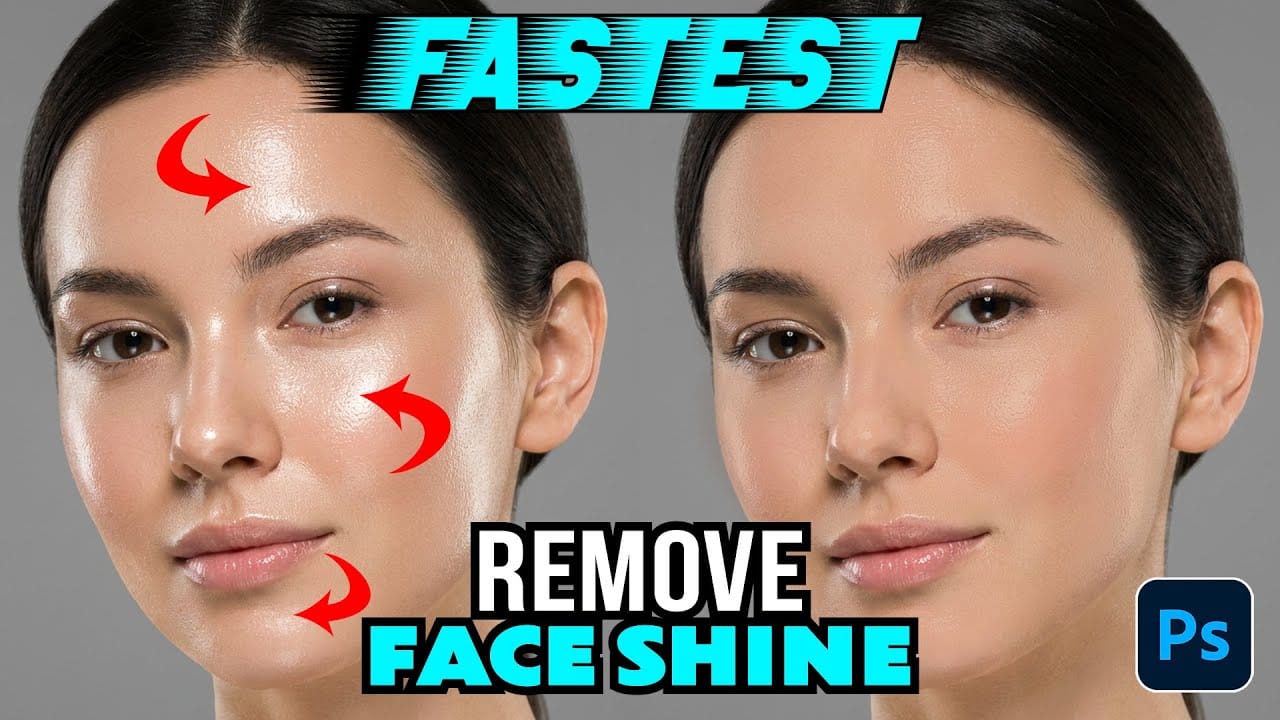
How to Remove Shiny Skin with Selective Color in Photoshop

How to Remove Shiny Skin with Selective Color in Photoshop

Skin shine can ruin an otherwise perfect portrait, creating distracting bright spots that draw attention away from your subject. Using Photoshop's Selective Color adjustment layer combined with layer masking provides precise control over these problematic highlights. This technique targets only the brightest areas of skin and allows you Read the full article here: How to […]

Read more: How to Remove Shiny Skin with Selective Color in Photoshop
How to Change Photo Backgrounds with AI While Preserving Professional Quality

How to Change Photo Backgrounds with AI While Preserving Professional Quality

Professional background replacement has traditionally required hours of meticulous masking and lighting adjustments in studio settings. Modern AI tools now offer an alternative approach that can change backgrounds while maintaining the original subject's lighting, hair detail, and pixel-level precision that photographers demand. This technique combines AI generation with Read the full article here: How to […]

Read more: How to Change Photo Backgrounds with AI While Preserving Professional Quality
How to Enhance Skin Tones Using Gradients in Photoshop

How to Enhance Skin Tones Using Gradients in Photoshop

Skin tones often appear washed out or lifeless in photographs due to challenging lighting conditions or camera settings. This gradient-based technique brings vibrancy back to portraits while creating natural-looking dimensional highlights that draw the viewer's eye to key facial features. The method uses Color Range selections combined with Read the full article here: How to […]

Read more: How to Enhance Skin Tones Using Gradients in Photoshop
7 Signs You're a Photoshop Pro – Skill Assessment Guide

7 Signs You're a Photoshop Pro – Skill Assessment Guide

Professional Photoshop mastery isn't about memorizing every menu or filter. It's about developing efficient workflows, understanding core concepts, and building muscle memory for essential techniques. Real pros focus on the right tools for their specific needs rather than trying to learn everything. This comprehensive assessment covers Read the full article here: 7 Signs You're a […]

Read more: 7 Signs You're a Photoshop Pro – Skill Assessment Guide
How to Use Generative Upscale with Multiple AI Models in Photoshop

How to Use Generative Upscale with Multiple AI Models in Photoshop

Pixelated vintage photos and low-resolution images no longer need to stay small. Photoshop's Generative Upscale feature now offers multiple AI models to enlarge images up to 4x their original size while adding remarkable detail and clarity. This new feature includes three distinct AI models—Adobe's Firefly Read the full article here: How to Use Generative Upscale […]

Read more: How to Use Generative Upscale with Multiple AI Models in Photoshop
Create a Pointillism Effect in Photoshop

Create a Pointillism Effect in Photoshop

Pointillism, the late 19th-century painting technique that uses small dots of color to form images, creates a distinctive artistic look where colors blend optically when viewed from a distance. This digital recreation technique transforms ordinary photographs into artwork that mimics the style of masters like Paul Signac. The process combines Read the full article here: […]

Read more: Create a Pointillism Effect in Photoshop