
Schenectady Photographic Society

Menu

rss-feed

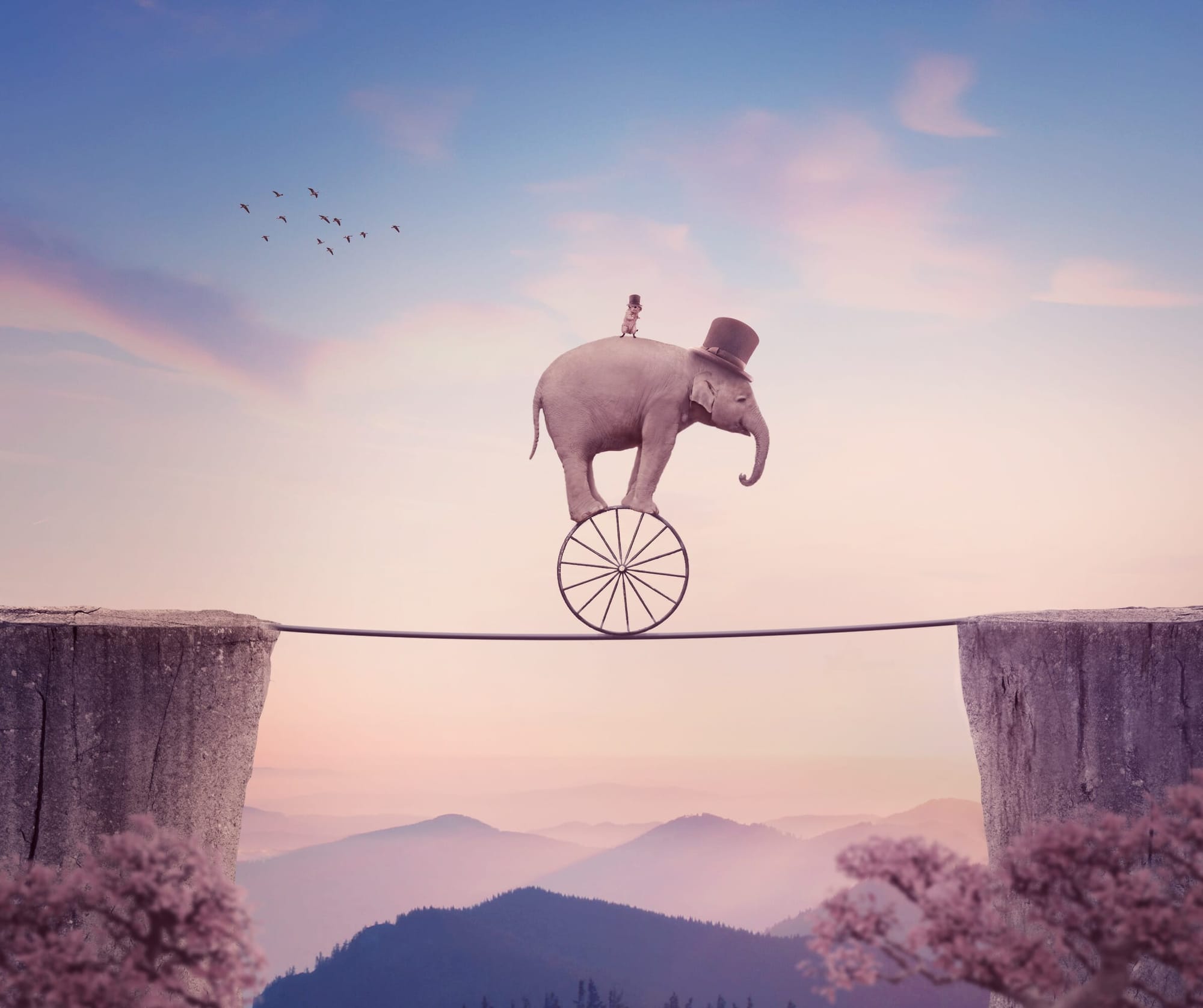
How to Create a Surreal Elephant Photo Manipulation with Adobe Photoshop

How to Create a Surreal Elephant Photo Manipulation with Adobe Photoshop

In this tutorial, the focus is on creating a surreal photo manipulation featuring a circus elephant with a rat riding a wheel. The process begins by assembling the base scene using captivating landscape and sky images. This step sets the foundation for an imaginative composition. Next, rocks and a tightrope are added to provide context […]

Read more: How to Create a Surreal Elephant Photo Manipulation with Adobe Photoshop
Can AI Retouch Better Than You? Let’s find out.

Can AI Retouch Better Than You? Let’s find out.

This video provides a comprehensive comparison between traditional retouching methods and modern AI-assisted techniques. You will see how professional editors use Photoshop to enhance images, contrasting this with the automated processes offered by AI applications. The focus is on whether AI can match the quality of human artistry. The presentation walks you through various retouching […]

Read more: Can AI Retouch Better Than You? Let’s find out.
Change the Colors of Objects and Backgrounds with Photoshop on the Web

Change the Colors of Objects and Backgrounds with Photoshop on the Web

Transforming basic paper backdrops into limitless creative opportunities is more achievable than you might think. With @ruthiesmagicalcamera, this tutorial guides you through the process using Photoshop on the web, ensuring that you can follow along seamlessly. In this lesson, you will explore various techniques to enhance your images. Gain a clear understanding of selection tools […]

Read more: Change the Colors of Objects and Backgrounds with Photoshop on the Web
Remove All Distractions From a Photo in One Click using Adobe Photoshop

Remove All Distractions From a Photo in One Click using Adobe Photoshop

This tutorial by PiXimperfect introduces an impressive new feature in Adobe Photoshop Beta that simplifies photo editing. By utilizing the updated Remove Tool, users can effortlessly eliminate distractions from their images with just one click. The tutorial highlights how this feature can efficiently remove unwanted elements such as people, power lines, and various other distractions […]

Read more: Remove All Distractions From a Photo in One Click using Adobe Photoshop
Photoshop Roadmap Weekly #1 – New Photoshop 2025 Announced!

Photoshop Roadmap Weekly #1 – New Photoshop 2025 Announced!

Short and sweet, so I don’t bore you. After over 15 years of experimenting with different formats and schedules, the Photoshop Roadmap Newsletter is finally settling into a weekly routine. Starting today, you’ll get a quick, curated digest of what’s happening at Photoshop Roadmap and around the digital arts scene—plus a few cool freebies and […]

Read more: Photoshop Roadmap Weekly #1 – New Photoshop 2025 Announced!
Creating Smart Albums in Lightroom

Creating Smart Albums in Lightroom

One of the new additions to the Lightroom app for Windows and Mac is the ability to create what they are calling smart albums which you should think of as saved searches (just like smart collections in Lightroom Classic). A smart album is simply a set of customized search criteria that you employ to automatically […]

Read more: Creating Smart Albums in Lightroom
On1 Photo RAW 2025: Top 5 New Features

On1 Photo RAW 2025: Top 5 New Features

OnOne Photo RAW 2025 introduces an array of impressive features that streamline and elevate the photo editing experience. Let's explore the top five game-changers and how they empower photographers to achieve stunning results: Generative Eraser: Removing distracting elements from photos used to be a tedious task. Photo RAW 2025 tackles this challenge head-on with its […]

Read more: On1 Photo RAW 2025: Top 5 New Features