Schenectady Photographic Society

Menu

rss-feed

Getting to Know Lightroom Web

Getting to Know Lightroom Web

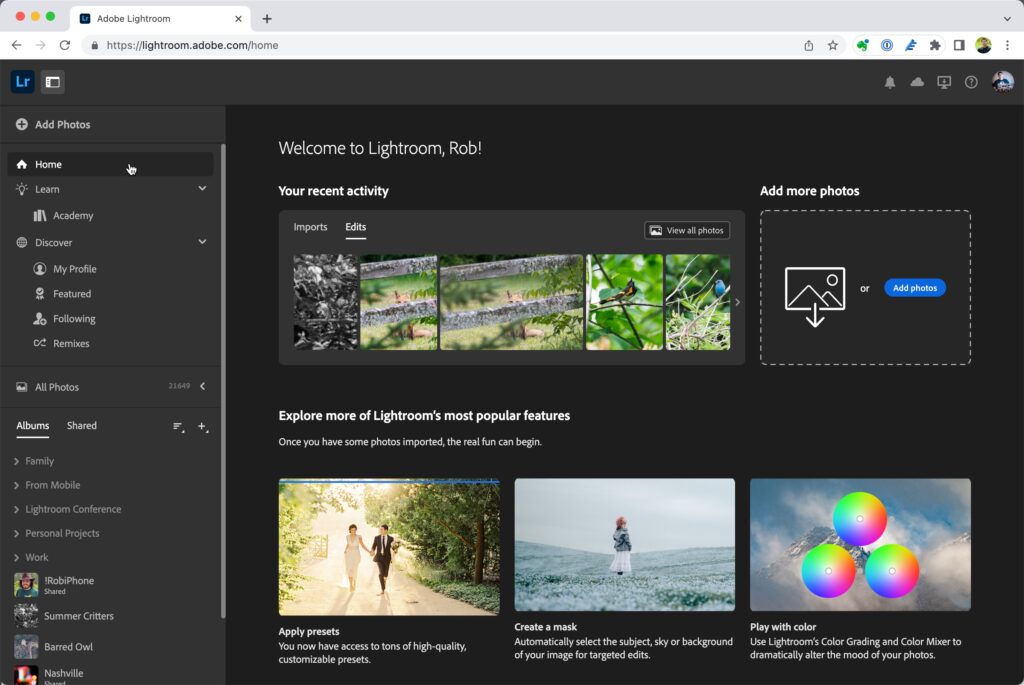
If you’re an Adobe Creative Cloud subscriber then you should know about Adobe Photoshop Lightroom on the web, or simply Lightroom web, as it is sometimes called (FYI, there no connection to the Web module in Lightroom Classic). This is a browser-based version of the Lightroom app that uses the cloud to store and sync […]
Read more: Getting to Know Lightroom Web
Clearing Up Some White Balance Myths

Clearing Up Some White Balance Myths

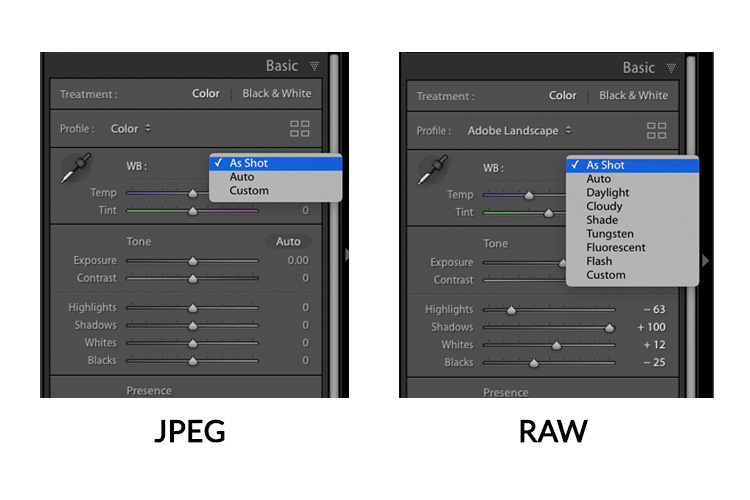
Today, I’m answering some questions and addressing a myth I often get about adjusting White Balance in Lightroom. But first, just a quick reminder: Just one week until the Worldwide Photo WalkIt’s this Saturday, October 7 all around the world – it’s free, it’s fun, and it’s all a great cause (to support the Springs of […]

Read more: Clearing Up Some White Balance Myths
How to Remove Unwanted Objects in Different Ways in Photoshop

How to Remove Unwanted Objects in Different Ways in Photoshop

Do you have photographs with distracting elements that need removing? In this insightful Photoshop tutorial from artist Zak Eazy, viewers will learn several effective techniques for eliminating unwanted objects from their images. Whether it’s removing superfluous signs, wires or passersby, Zak walks through practical use cases that showcase the Patch and Clone Stamp tools as […]

Read more: How to Remove Unwanted Objects in Different Ways in Photoshop
Merge two photos in just a few clicks using Photoshop’s Generative Fill

Merge two photos in just a few clicks using Photoshop’s Generative Fill

Photoshop Training Channel presents a helpful guide for blending multiple images together with ease. Generative Fill is one of Photoshop’s most powerful but underutilized tools, and in this video PTC shows users how they can take advantage of its full capabilities. Through a simple step-by-step process, viewers will learn how to use Generative Fill to […]

Read more: Merge two photos in just a few clicks using Photoshop’s Generative Fill
Photoshop 2024 Reveals Major New Tools and Enhancements

Photoshop 2024 Reveals Major New Tools and Enhancements

For creative professionals, Photoshop is an indispensable part of the workflow. As the leading digital imaging software, each new version from Adobe brings excitement as artists and designers anticipate how their capabilities may be expanded. In this video preview, we get a sneak peek at some of Photoshop 2024’s standout new features. Elsewhere, the updated […]

Read more: Photoshop 2024 Reveals Major New Tools and Enhancements