Skip to content
Schenectady Photographic Society

Schenectady Photographic Society

Established 1932
Schenectady Photographic Society
Menu
  • Home
  • Downloads
    • The Focus
    • Annual Reports
    • New Member Info
  • Competitions
    • Assigned Topics for 2026-2028
    • Print
      • Competition Galleries
      • Competition Results
        • 2024-2025
        • 2023-2024
        • 2019-2020
        • 2018-2019
        • 2017-2018
        • 2016-2017
        • 2015-2016
      • Competition Rules
      • Submission Card Creator
    • Digital Image
      • Submit Images
      • Submissions
        • 2024-2025
        • 2023-2024
        • 2022-2023
        • 2021-2022
        • 2020-2021
        • 2019-2020
        • 2018-2019
        • 2017-2018
        • 2016-2017
        • 2015-2016
      • Competition Results
        • 2025-2026
        • 2024-2025
        • 2023-2024
        • 2022-2023
        • 2021-2022
        • 2020-2021
        • 2019-2020
        • 2018-2019
        • 2017-2018
        • 2016-2017
        • 2015-2016
      • Preparation Guidelines
      • Competition Rules
    • Photo Essay
      • Competition Rules
  • Programs
    • Mentoring
    • Field Trips
    • Traveling Exhibits
  • Events
    • Full Events Calendar
    • Luba Ricket Creativity Award
      • Submission Form
  • News
    • Announcements
    • Photoshop
    • Lightroom
  • Links
  • About SPS
    • Our FAQ
    • Directions
    • By-Laws
    • Constitution
    • Board of Directors
    • Betty Barker Award
    • Liability Waiver and Safety Requirements Agreement
    • SPS In the News
      • Heritage of Vision - 518 Profiles Magazine
      • 80th Anniversary - Daily Gazette
  • Join Us
CLOSE
Schenectady Photographic Society

Upcoming Events

Nothing from June 22, 2026 to June 22, 2027.

Category: Photoshop

Photoshop News and Updates

How to Use Dynamic Text Shapes in Photoshop

The Dynamic Text tool introduced in 2025 was revolutionary for automatic text sizing and layout, but 2026 brings an exciting update that adds shape options to this powerful feature. You can now create circular text,…

View More How to Use Dynamic Text Shapes in Photoshop

How to Use Photoshop Channels for Precision Masking and Natural Selections

Most photographers avoid channels because they seem technical and intimidating. The breakthrough happens when you stop thinking of channels as red, green, and blue data and start seeing them as mask maps that reveal natural…

View More How to Use Photoshop Channels for Precision Masking and Natural Selections

Ink Garden: 8 Botanical Ink Abstract Backgrounds

Ink Garden is a collection of expressive ai-generated botanical abstract background papers inspired by loose ink drawings and flowing natural forms. Each design combines delicate hand-drawn leaves and stems with soft watercolor washes, creating a…

View More Ink Garden: 8 Botanical Ink Abstract Backgrounds

Starlit Castle: Magical Fantasy Night Castle Digital Wall Art

Bring a quiet fairytale atmosphere into your space with this magical ai-generated night illustration of a glowing castle beneath a sky full of stars. Warm lights shine from the towers and reflect softly in the…

View More Starlit Castle: Magical Fantasy Night Castle Digital Wall Art

Rainy Day Photoshop Action: Realistic Rain on Glass Effect

Rainy Day is a Photoshop action that adds a realistic rain-on-window effect to your photos in just one click. It gives your images a moody, cinematic feel, as if they were shot through wet glass…

View More Rainy Day Photoshop Action: Realistic Rain on Glass Effect

How to Use the New Color, Clarity, Dehaze, and Grain Adjustment Layers in Photoshop

Three powerful new adjustment layers bring Camera Raw's most popular tools directly into your layers panel. Color and Vibrance, Clarity and Dehaze, and Grain adjustments now work as standard adjustment layers with full masking capabilities…

View More How to Use the New Color, Clarity, Dehaze, and Grain Adjustment Layers in Photoshop

How to Apply Patterns and Tattoos to Skin in Photoshop

Creating realistic skin patterns and tattoos requires more than simply overlaying images onto photographs. The key lies in using proper blending techniques and layer settings to make decorative elements appear naturally integrated with skin texture.…

View More How to Apply Patterns and Tattoos to Skin in Photoshop

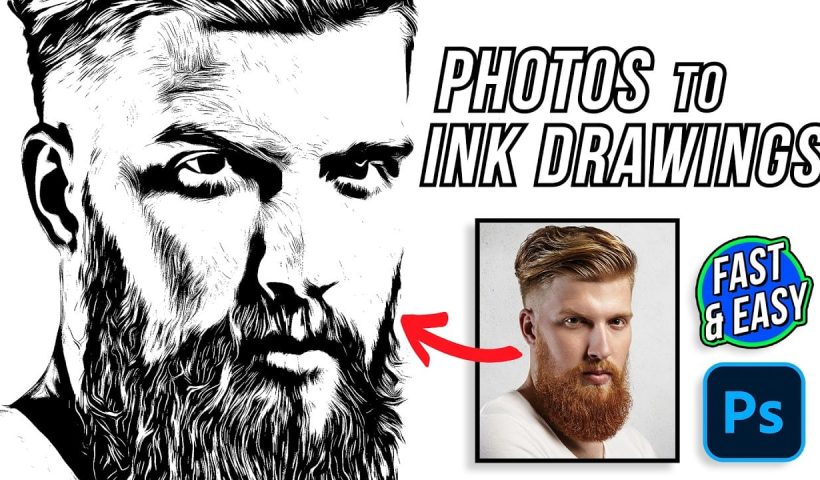
How to Transform Photos into Digital Paintings Using Photoshop Brushes

Busy backgrounds and photographic detail can overwhelm your artistic vision. This technique shows how to prepare photos for digital painting by strategically overpainting backgrounds and replacing photographic elements with painterly textures. The approach combines subject…

View More How to Transform Photos into Digital Paintings Using Photoshop Brushes

Posts pagination

Previous page Page 1 … Page 15 Page 16 Page 17 … Page 165 Next page
Schenectady Photographic Society
Established 1931
Site design by Sean P Sullivan
Copyright © SPS|Concepts
Terms of Service/Privacy Policy