Schenectady Photographic Society

Menu

Lightroom

This is an iPhone photo.

This is an iPhone photo.

It’s not from the fancy new iPhone 14 Pro. It’s not even from a 13. It’s from an old iPhone 12 Pro. I shot it last week while recording a KelbyOne online course on shooting travel with your iPhone. I’m still amazed the camera on my phone can do what it does. I did edit […]

Read more: This is an iPhone photo.
My Trail Cam Workflow

My Trail Cam Workflow

I suppose this could also be called my using Lightroom to import photos into Lightroom Classic workflow, but that was too long for the title. A few years ago, I mounted a trail camera in the woods behind my house at what appeared to be a bit of a wildlife crossroads. It is just a […]

Read more: My Trail Cam Workflow
I’m Back From Tuscany. Well, Almost

I’m Back From Tuscany. Well, Almost

Above: My co-instructor, Mimo Meidany, and me standing during a scouting trip before the workshop, standing out in the Tuscan dirt. There’s worse dirt to stand in.  Greetings from the Atlanta airport (a delayed flight had me missing my connection back home last night from Boston, so I chose to come halfway home – my flight’s boarding […]

Read more: I’m Back From Tuscany. Well, Almost
The October 2022 Issue of Photoshop User Is Now Available!

The October 2022 Issue of Photoshop User Is Now Available!

The October 2022 issue of Photoshop User is now live on the KelbyOne site and the KelbyOne app for iOS and Android. Welcome to our annual Halloween bag of 100 tricks and treats for Photoshop and Lightroom, plus speedy cleanup of selections, transferring makeup from one image to another, using Publish Services in Lightroom Classic, raising the fright factor of Halloween photos, […]

Read more: The October 2022 Issue of Photoshop User Is Now Available!
Three Helpful Preference Settings

Three Helpful Preference Settings

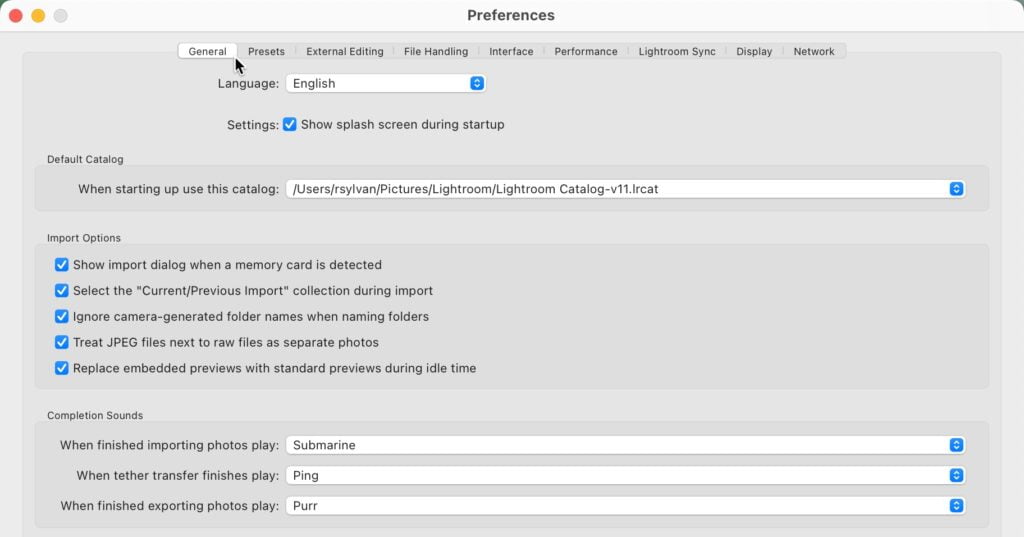
I find that the “out of the box” (so to speak) settings in Lightroom Classic’s preferences are a good place to start, but there are a few settings I find helpful to tweak. To access the preferences, go to Lightroom Classic > Preferences (PC: Edit > Preferences). The first tab up is General. One setting […]

Read more: Three Helpful Preference Settings