Schenectady Photographic Society

Menu

Photo retouching

Change the Colors of Objects and Backgrounds with Photoshop on the Web

Change the Colors of Objects and Backgrounds with Photoshop on the Web

Transforming basic paper backdrops into limitless creative opportunities is more achievable than you might think. With @ruthiesmagicalcamera, this tutorial guides you through the process using Photoshop on the web, ensuring that you can follow along seamlessly. In this lesson, you will explore various techniques to enhance your images. Gain a clear understanding of selection tools […]

Read more: Change the Colors of Objects and Backgrounds with Photoshop on the Web
Remove All Distractions From a Photo in One Click using Adobe Photoshop

Remove All Distractions From a Photo in One Click using Adobe Photoshop

This tutorial by PiXimperfect introduces an impressive new feature in Adobe Photoshop Beta that simplifies photo editing. By utilizing the updated Remove Tool, users can effortlessly eliminate distractions from their images with just one click. The tutorial highlights how this feature can efficiently remove unwanted elements such as people, power lines, and various other distractions […]

Read more: Remove All Distractions From a Photo in One Click using Adobe Photoshop
How Photoshop Photo Restoration Got Better Than Ever

How Photoshop Photo Restoration Got Better Than Ever

This tutorial by Matt Kloskowski on Photoshop photo restoration reveals an impressive evolution in photo editing technology over the past few years. Many tasks that once required extensive time and complex processes can now be completed in just minutes. This is especially relevant after recent storms, which emphasized the need for restoring valuable family memories. […]

Read more: How Photoshop Photo Restoration Got Better Than Ever
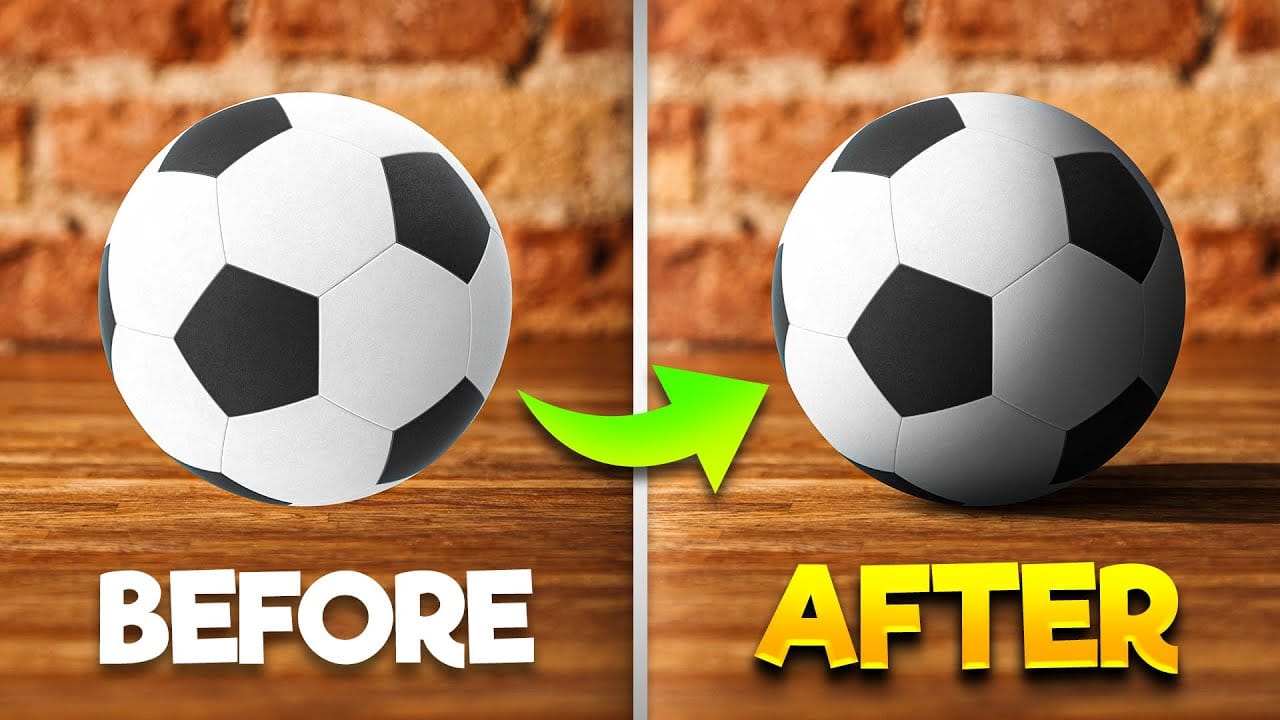
How To Add Realistic Shadows in Photoshop

How To Add Realistic Shadows in Photoshop

In this video, you will learn how to add realistic shadows in Photoshop, a skill that can significantly enhance your digital artwork. The tutorial is presented by BennyProductions, who breaks down the process into easy-to-follow steps. You will discover techniques for creating projected shadows for various objects, including a ball, a car, and glasses. By […]

Read more: How To Add Realistic Shadows in Photoshop
How to Add Accessories Using AI in Photoshop

How to Add Accessories Using AI in Photoshop

In this Photoshop tutorial, you will explore the process of blending graphics with portraiture for stunning visual results. The Super Zoom feature is highlighted, showing how to upscale graphics without losing resolution. This is crucial for maintaining quality when working with high-resolution images. You will also learn about applying Gradient Maps for effective color matching. […]

Read more: How to Add Accessories Using AI in Photoshop