
Schenectady Photographic Society

Menu

Photoshop

How to Rotate, Harmonize, and Composite Objects Realistically in Photoshop

How to Rotate, Harmonize, and Composite Objects Realistically in Photoshop

Placing a product into a scene used to fall apart the moment the perspective didn't match. Photoshop's new Rotate Object tool solves that by using AI to reposition a flat image in three-dimensional space, letting you tilt, turn, and adjust perspective until it fits the Read the full article here: How to Rotate, Harmonize, and […]

Read more: How to Rotate, Harmonize, and Composite Objects Realistically in Photoshop
Lightroom Classic Duplicate Finder: Remove Duplicates Without Losing Photos

Lightroom Classic Duplicate Finder: Remove Duplicates Without Losing Photos

How to Safely Remove Duplicate Photos in Lightroom Classic Adobe has finally added a Duplicate Finder to Lightroom Classic, and it’s something photographers have wanted for years. It’s a great tool, but before you start deleting thousands of photos, there are a few things you should know. Always back everything up first! There are two […]

Read more: Lightroom Classic Duplicate Finder: Remove Duplicates Without Losing Photos
Lightroom Classic Update Deep Dive: What’s New and What Actually Matters June 2026

Lightroom Classic Update Deep Dive: What’s New and What Actually Matters June 2026

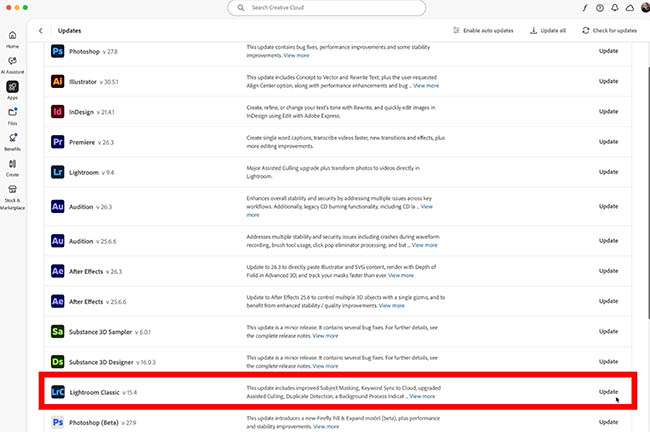
Lightroom Classic Just Added Duplicate Detection and 9 more features Adobe has released another major update to Lightroom Classic, and while there are several impressive additions, one feature stands above the rest. After years of requests from photographers, Lightroom Classic finally has duplicate detection. That alone would make this an important update, but Adobe didn’t […]

Read more: Lightroom Classic Update Deep Dive: What’s New and What Actually Matters June 2026
Painted Wonderlands: Folk Art Nature Backgrounds

Painted Wonderlands: Folk Art Nature Backgrounds

Painted Wonderlands is a collection of 8 free AI-generated folk art nature backgrounds featuring whimsical animals, decorative florals, woodland elements, tropical wildlife, ocean creatures, and enchanting storybook scenes. Each artwork combines rich colors, detailed folk art textures, and charming hand-painted aesthetics, creating magical nature-inspired worlds filled with character and imagination. Read the full article here: […]

Read more: Painted Wonderlands: Folk Art Nature Backgrounds
Create Realistic Rim Light Effects on Portraits in Photoshop

Create Realistic Rim Light Effects on Portraits in Photoshop

Rim lighting transforms ordinary portraits into dramatic, professional-looking images by adding bright highlights around the edges of your subject. This technique simulates light hitting the outer contours of a person, making them stand out from their background with a natural, glowing effect. The key to convincing rim light lies in Read the full article here: […]

Read more: Create Realistic Rim Light Effects on Portraits in Photoshop
How to Use Photoshop's Layer Cleanup Tool to Organize Messy Projects

How to Use Photoshop's Layer Cleanup Tool to Organize Messy Projects

Complex editing projects with Generative Fill and Expand often result in dozens of unnamed layers cluttering your workspace. The new Layer Cleanup tool automates the tedious process of renaming layers and removing empty ones, transforming chaotic layer panels into organized, manageable structures. This workflow improvement saves significant time during post-production Read the full article here: […]

Read more: How to Use Photoshop's Layer Cleanup Tool to Organize Messy Projects
How to Use Curves for Composite Color Matching in Photoshop

How to Use Curves for Composite Color Matching in Photoshop

Curves adjustments are essential for making composite elements look natural and cohesive. Understanding how curves manipulate light values and color channels gives you precise control over matching different elements to their new backgrounds. The key to successful color matching lies in analyzing the color temperature and brightness relationships between your Read the full article here: […]

Read more: How to Use Curves for Composite Color Matching in Photoshop