Schenectady Photographic Society

Menu

Photoshop

How to Use the New Edge Refinement Tool in Camera Raw and Fix Complex Mask Edges

How to Use the New Edge Refinement Tool in Camera Raw and Fix Complex Mask Edges

Camera Raw's new edge refinement tool helps clean up rough mask edges, but it has limitations when dealing with complex subjects like trees and foliage. While the tool works well for simple architectural elements by contracting or expanding mask edges, intricate organic shapes require additional techniques to achieve Read the full article here: How to […]

Read more: How to Use the New Edge Refinement Tool in Camera Raw and Fix Complex Mask Edges
How to Fix Color Fringing in Subject Cutouts Using Clipping Masks

How to Fix Color Fringing in Subject Cutouts Using Clipping Masks

Perfect layer masks can still produce disappointing results when color fringing appears around hair and fur edges. This common problem isn't caused by poor masking technique—it's the original background bleeding through at the edges. Clipping masks offer a powerful solution by allowing you to paint Read the full article here: How to Fix Color Fringing […]

Read more: How to Fix Color Fringing in Subject Cutouts Using Clipping Masks
Create Beautiful Floral Oval Frames for Portraits in Photoshop

Create Beautiful Floral Oval Frames for Portraits in Photoshop

Transform ordinary portraits into elegant artwork with decorative floral oval frames that blend seamlessly with your subject. This technique combines traditional framing with digital floral elements, creating a painterly effect that's perfect for fine art prints and creative portraits. The process involves creating an oval cutout, adding custom Read the full article here: Create Beautiful […]

Read more: Create Beautiful Floral Oval Frames for Portraits in Photoshop
How to Use Dynamic Text Shapes in Photoshop 2026

How to Use Dynamic Text Shapes in Photoshop 2026

Photoshop 2026's Dynamic Text tool transforms text formatting with new shape options that go beyond traditional block layouts. The updated tool includes circular, arch, and bow configurations that automatically format text while maintaining professional typography standards. This feature eliminates the complex manual work previously required for curved text Read the full article here: How to […]

Read more: How to Use Dynamic Text Shapes in Photoshop 2026
How to Use Photoshop's New Offline AI Remove Tool (No Credits Required)

How to Use Photoshop's New Offline AI Remove Tool (No Credits Required)

Photoshop's latest update introduces an offline AI-powered Remove tool that works without internet connectivity or generative credits. This on-device feature processes a 4-5GB AI model locally, enabling fast object removal while maintaining complete privacy since your images never leave your computer. The tool requires high system specifications but Read the full article here: How to […]

Read more: How to Use Photoshop's New Offline AI Remove Tool (No Credits Required)
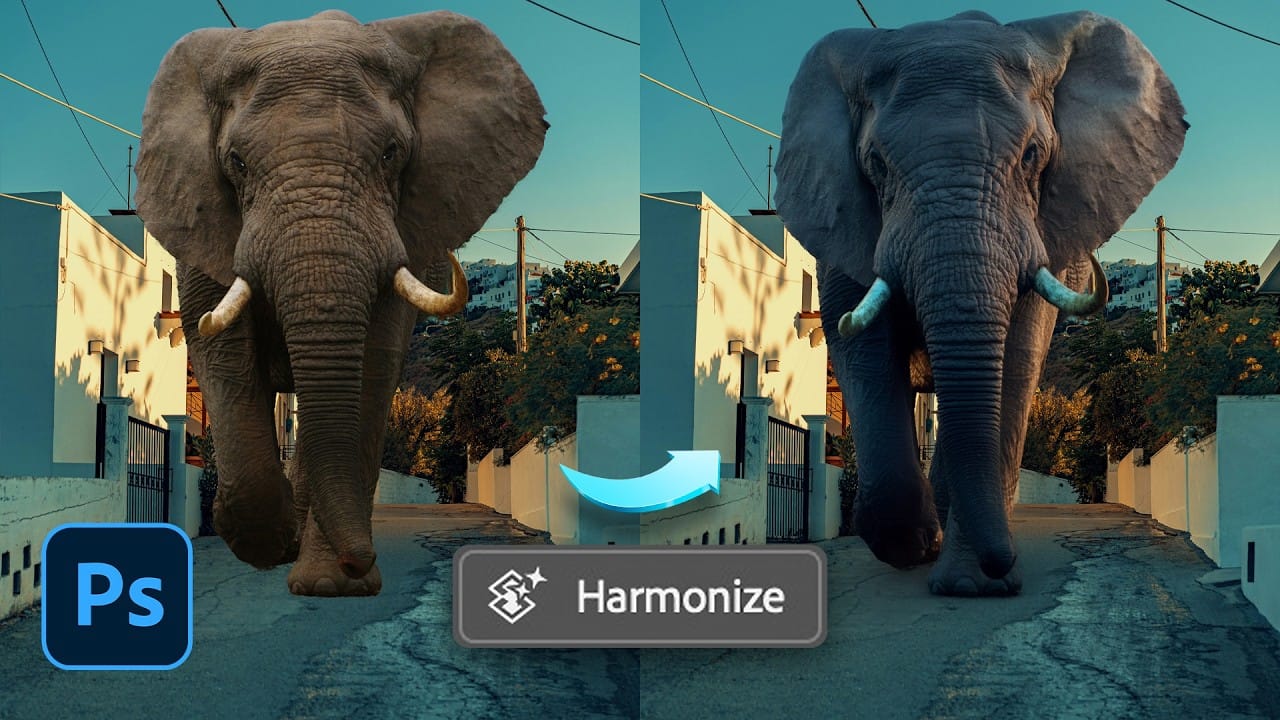
How to Use the Harmonize Tool for Advanced Photo Compositing in Photoshop 2026

How to Use the Harmonize Tool for Advanced Photo Compositing in Photoshop 2026

The Harmonize tool transforms compositing by automatically adjusting lighting, color, and shadows to blend objects seamlessly into new backgrounds. This AI-powered feature analyzes both your subject and background, then creates realistic color bleed, reflections, and contact shadows with a single click. While the tool delivers impressive results instantly, combining it Read the full article here: […]

Read more: How to Use the Harmonize Tool for Advanced Photo Compositing in Photoshop 2026