Schenectady Photographic Society

Menu

Photoshop

How to Use Photoshop Curves Auto Options for Color Grading

How to Use Photoshop Curves Auto Options for Color Grading

Professional color grading transforms ordinary images into visually striking compositions with rich depth and atmosphere. Hidden curves auto options in Photoshop let you assign custom colors to shadows, midtones, and highlights for dramatic enhancement. This technique goes beyond basic adjustments to create cinematic looks that bring images to life with Read the full article here: […]

Read more: How to Use Photoshop Curves Auto Options for Color Grading
How to Remove Dark Eye Circles Using Frequency Separation in Photoshop

How to Remove Dark Eye Circles Using Frequency Separation in Photoshop

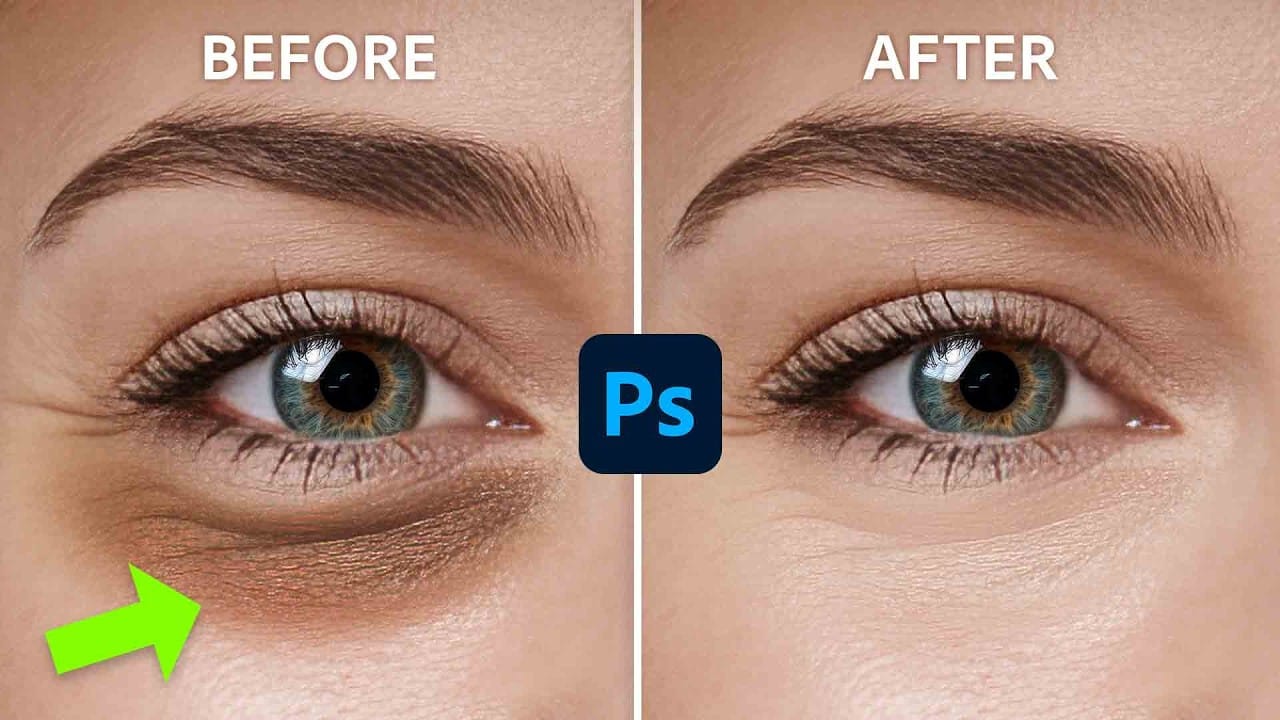
Dark under-eye circles can make portrait subjects look tired or unhealthy, even when they're not. Traditional brightening methods often create unnatural results or destroy important skin texture. This tutorial demonstrates frequency separation, a professional retouching technique that removes dark circles while preserving natural skin texture and realistic lighting Read the full article here: How to […]

Read more: How to Remove Dark Eye Circles Using Frequency Separation in Photoshop
How to Create Perfect Black and White Photos Using Camera Raw Filter in Photoshop

How to Create Perfect Black and White Photos Using Camera Raw Filter in Photoshop

Camera Raw's black and white mixer transforms color photos into striking monochrome images with precision control. The built-in adjustment tool lets you click and drag directly on your image to lighten or darken specific tones. This non-destructive method preserves your original photo while giving you complete creative control Read the full article here: How to […]

Read more: How to Create Perfect Black and White Photos Using Camera Raw Filter in Photoshop
How to Create Reusable Drag & Drop Mockup Templates in Photoshop

How to Create Reusable Drag & Drop Mockup Templates in Photoshop

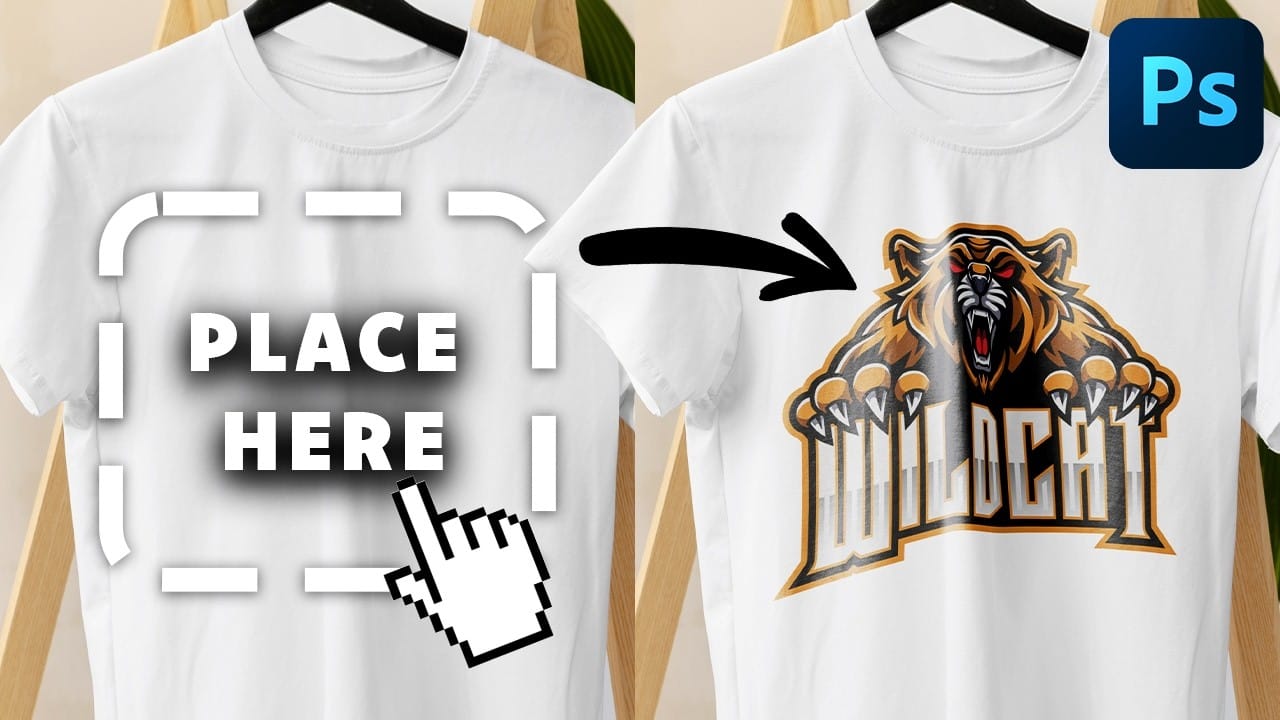
Manually warping and blending logos onto product photos takes 15-30 minutes each time. Smart objects in Photoshop transform this repetitive process into a one-time setup that creates reusable templates. This technique lets you drag and drop any design into a pre-configured mockup that automatically applies warping, blending, and lighting effects. Read the full article here: […]

Read more: How to Create Reusable Drag & Drop Mockup Templates in Photoshop
Spooky Nights: 10 Free Whimsical Halloween Illustrations

Spooky Nights: 10 Free Whimsical Halloween Illustrations

Step into a world of glowing pumpkins, playful ghosts, and enchanted moonlit scenes with Spooky Nights, a free set of 10 whimsical Halloween illustrations. Each high-resolution artwork (2304×1792 px, JPEG) was crafted with Adobe Firefly in a painterly mixed-media style — expressive inky brushstrokes, delicate bleach splatters, and thick swirls Read the full article here: […]

Read more: Spooky Nights: 10 Free Whimsical Halloween Illustrations
Photoshop Beta New Color and Vibrance – Temperature vs Tint in Photoshop Explained

Photoshop Beta New Color and Vibrance – Temperature vs Tint in Photoshop Explained

Understanding Temperature vs Tint in Photoshop (White Balance Explained) White balance can be a confusing topics for photographers. In this tutorial, we’ll clear up the difference between Temperature and Tint—and we’ll also look at a new tool in Photoshop Beta that makes fixing color casts easier than ever. The New Color and Vibrance Adjustment Before […]

Read more: Photoshop Beta New Color and Vibrance – Temperature vs Tint in Photoshop Explained
10 Things Generative Fill Can Do That You Probably Haven’t Thought Of

10 Things Generative Fill Can Do That You Probably Haven’t Thought Of

You’ve seen the buzz around Photoshop’s Generative Fill, but chances are, you’ve only scratched the surface of what it can really do. In my latest class, I take you beyond the basics with 10 clever, unexpected, and super-practical uses for this game-changing AI feature. From subtle fixes to creative problem-solving, you’ll see why I call […]

Read more: 10 Things Generative Fill Can Do That You Probably Haven’t Thought Of