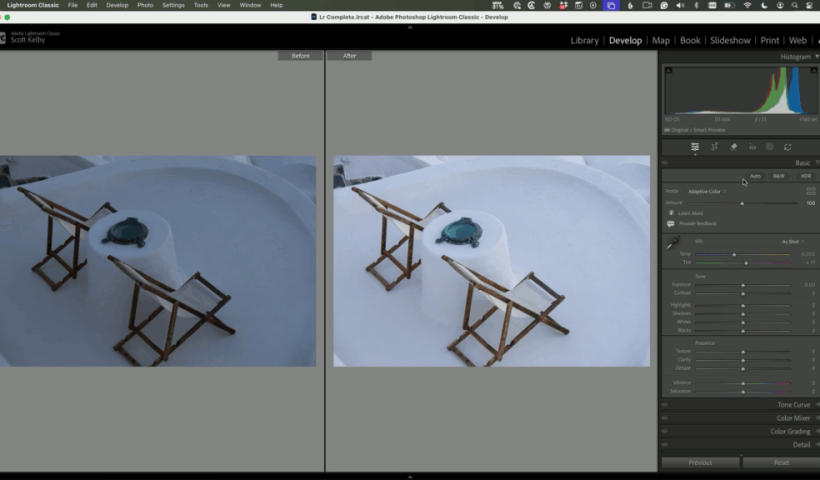
Color is one of the most powerful parts of Lightroom Classic—but for many photographers, it’s also where edits start to feel overwhelming. With newer tools and more options than ever, it’s easy to second-guess yourself…
View More Editing Color in Lightroom Doesn’t Need to Be ComplicatedTag: Uncategorized
Best Tech in 2025-2026 for Creative Pros PhotoshopCAFE Picks
The best products of the year (2025-2026) (AKA Colin’s Gear Guide) 2025 is almost gone, but what isn’t, is all the exciting tech and gear we need to make our creative stuff. I wanted to…
View More Best Tech in 2025-2026 for Creative Pros PhotoshopCAFE PicksBlack Friday sale at PhotoshopCAFE 4 days only
Thanks for being part of the CAFE — I appreciate you. We rarely run sales, and I haven’t done a Black Friday event in years. But after launching the new Photoshop 2026 course, some of…
View More Black Friday sale at PhotoshopCAFE 4 days onlyPhotoshop Flux Kontext Pro vs Nana Banana: Full Comparison
Photoshop Flux Kontext Pro vs Nana Banana: Which AI Model Wins? There’s been a lot of buzz about Photoshop’s inclusion of Nana Banana partner model, but did you know there’s another one hidden in the…
View More Photoshop Flux Kontext Pro vs Nana Banana: Full ComparisonAdobe Photoshop has Nano Banana AI Generator inside
You’ve NEVER Seen Photoshop Do This Before. Nano Banana (Gemini 2.5) in Photoshop Beta. Adobe just dropped something HUGE into Photoshop Beta. It’s called Nano Banana, and it’s powered by Google’s Gemini 2.5. I’m going…
View More Adobe Photoshop has Nano Banana AI Generator insideHow to Turn White into deep Color and colorize Black in Photoshop
How to colorize black or white in Photoshop It’s pretty easy to change a color to another color in Photoshop, especially with Adjust Color. What can be more tricky is starting with white or starting…
View More How to Turn White into deep Color and colorize Black in PhotoshopOn-device Select subject in Photoshop, improved ai selections without the cloud
Excellent auto selections in Photoshop, right on your device Five months ago, Adobe made some huge improvements to their auto selections in Photoshop. Select subject and remove background got a new algorithm, but only for…
View More On-device Select subject in Photoshop, improved ai selections without the cloudDoes The Order You Use AI in Lightroom Matter? Yes. It Sure Does!
Check out this great video from Adobe’s Brian Matiash (software quality engineer on Adobe’s Lightroom team), where he talks about the recommended order to apply your AI edits, what the mystery “Yellow button” means, when…
View More Does The Order You Use AI in Lightroom Matter? Yes. It Sure Does!