Schenectady Photographic Society

Menu

Photoshop Tutorials

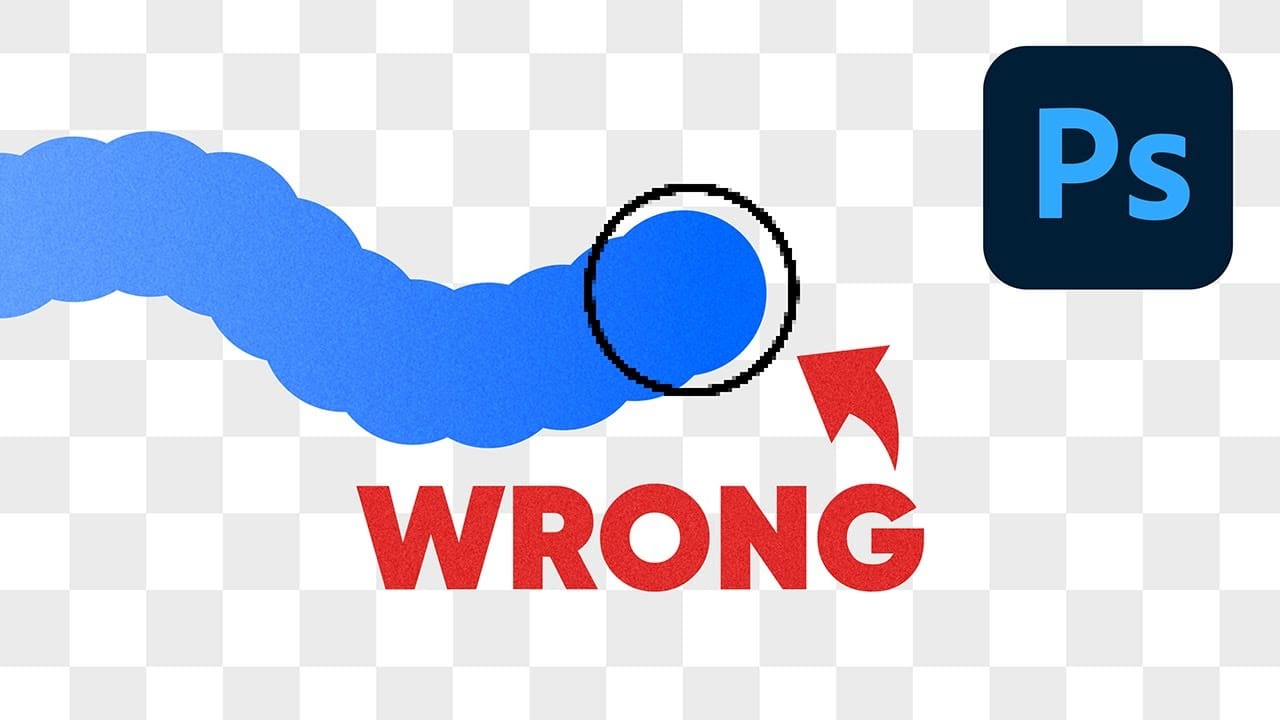
Why Your Photoshop Brush Creates a Caterpillar Effect (And How to Fix It)

Why Your Photoshop Brush Creates a Caterpillar Effect (And How to Fix It)

One of the most frustrating issues Photoshop users encounter is when their brush strokes suddenly become uneven or thicker than expected. You might start painting with a smooth brush only to see a jagged "caterpillar" effect appear, or notice your soft brush creating strokes that are much thicker Read the full article here: Why Your […]

Read more: Why Your Photoshop Brush Creates a Caterpillar Effect (And How to Fix It)
How to Create Realistic Embroidery Effects Using Photoshop's Parametric Embroidery Filter

How to Create Realistic Embroidery Effects Using Photoshop's Parametric Embroidery Filter

Adobe's introduction of parametric filters in Photoshop beta has opened up new possibilities for creating realistic textile effects without complex manual techniques. The embroidery filter stands out as particularly powerful for transforming logos, graphics, and text into convincing stitched designs with remarkable detail and customization options. This tutorial Read the full article here: How to […]

Read more: How to Create Realistic Embroidery Effects Using Photoshop's Parametric Embroidery Filter
How to Use the Eyedropper Tool in Photoshop

How to Use the Eyedropper Tool in Photoshop

The eyedropper tool remains one of Photoshop's most fundamental utilities for color selection and matching. This seemingly simple tool offers sophisticated sampling options and workflow shortcuts that can significantly improve color accuracy and creative control in photo editing projects. This tutorial demonstrates the eyedropper tool's core Read the full article here: How to Use the […]

Read more: How to Use the Eyedropper Tool in Photoshop
How to Create a Cinematic UFO Scene in Photoshop

How to Create a Cinematic UFO Scene in Photoshop

Science fiction imagery has always captured our imagination, and UFO scenes represent one of the most compelling subjects in digital art. Creating a believable extraterrestrial encounter requires careful attention to lighting, atmosphere, and composition to achieve that cinematic quality seen in professional films and concept art. This tutorial demonstrates how Read the full article here: […]

Read more: How to Create a Cinematic UFO Scene in Photoshop
Understanding Vibrance vs Saturation in Photoshop and When to Use Each Tool

Understanding Vibrance vs Saturation in Photoshop and When to Use Each Tool

Color enhancement is one of the most fundamental aspects of photo editing, yet many Photoshop users struggle with knowing when to use vibrance versus saturation. Both tools can boost the intensity of colors in your images, but they work in dramatically different ways and produce very different results. Learning the Read the full article here: […]

Read more: Understanding Vibrance vs Saturation in Photoshop and When to Use Each Tool
Convert Low-Resolution Graphics to High Resolution in Photoshop

Convert Low-Resolution Graphics to High Resolution in Photoshop

Low-resolution graphics often limit design projects, especially when you need to scale logos, icons, or simple illustrations for print or large-format displays. While vector formats offer infinite scalability, many graphics exist only as pixelated bitmap files that become unusable when enlarged. This tutorial demonstrates two effective methods for converting low-resolution Read the full article here: […]

Read more: Convert Low-Resolution Graphics to High Resolution in Photoshop
Create Authentic Vintage Halftone Effects with Custom Patterns in Photoshop

Create Authentic Vintage Halftone Effects with Custom Patterns in Photoshop

Photoshop's built-in Color Halftone filter creates rigid, geometric results that lack the authentic character of vintage print work. The filter also fails to produce true CMYK separations in RGB documents, missing the black channel entirely and creating an unconvincing simulation of traditional printing methods. This technique uses custom patterns and blend modes to create realistic, […]

Read more: Create Authentic Vintage Halftone Effects with Custom Patterns in Photoshop
5 Essential Photoshop Techniques for Better Portrait Editing

5 Essential Photoshop Techniques for Better Portrait Editing

Portrait editing often feels overwhelming, especially when trying to balance natural-looking results with professional polish. Many photographers struggle with where to start and which adjustments will have the biggest impact on their images without making them look over-processed. This tutorial covers five fundamental Photoshop techniques that will immediately improve any portrait. From creating better subject […]

Read more: 5 Essential Photoshop Techniques for Better Portrait Editing