Schenectady Photographic Society

Menu

Photoshop

How to Create Curved Text in Photoshop Using the New Dynamic Text Tool

How to Create Curved Text in Photoshop Using the New Dynamic Text Tool

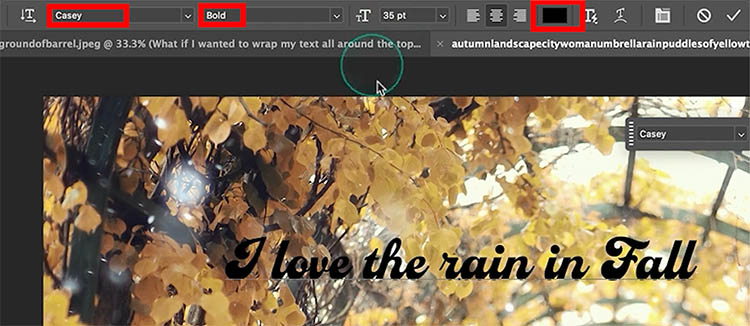
Creating curved text in Photoshop has traditionally required complex workarounds that often distorted the letters. The new Dynamic Text tool in Photoshop Beta changes this completely, allowing you to place text on arches, circles, and custom curves while maintaining perfect letter shapes. This tool offers three main options: arch, circle, Read the full article here: […]

Read more: How to Create Curved Text in Photoshop Using the New Dynamic Text Tool
Firefly Fill and Expand Model: Testing the New Generative AI in Photoshop

Firefly Fill and Expand Model: Testing the New Generative AI in Photoshop

Adobe's latest Firefly Fill and Expand model promises significant improvements over the previous Firefly Image 3, particularly for generating people and replacing backgrounds. The new model doubles the resolution from 1K to 2K and introduces reference image capabilities for face swapping and object replacement. While the improvements are Read the full article here: Firefly Fill […]

Read more: Firefly Fill and Expand Model: Testing the New Generative AI in Photoshop
How to Create a Vintage Collage Effect with Halftone Patterns in Photoshop

How to Create a Vintage Collage Effect with Halftone Patterns in Photoshop

Vintage collage effects combine the nostalgic appeal of old-school printing techniques with modern digital artistry. This technique uses halftone patterns, emboss effects, and strategic layering to transform ordinary portraits into striking retro compositions that evoke classic album covers and vintage advertisements. The process involves duplicating layers with different treatments, applying Read the full article here: […]

Read more: How to Create a Vintage Collage Effect with Halftone Patterns in Photoshop
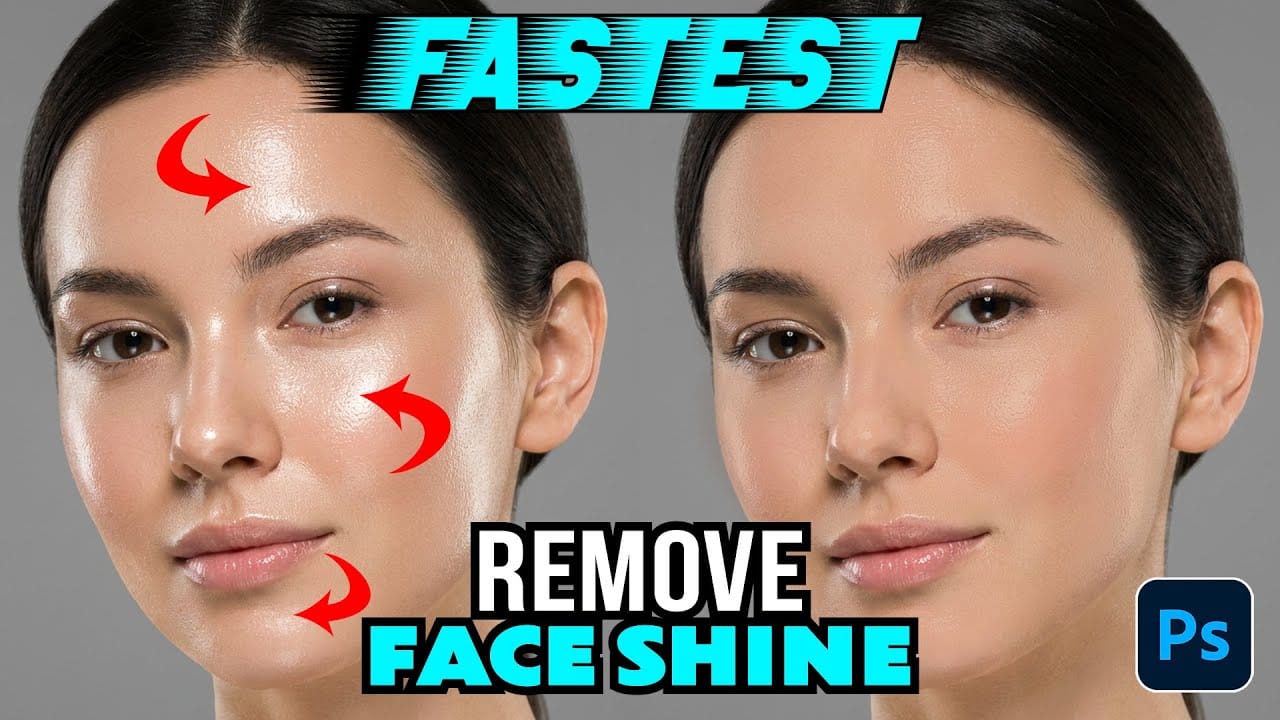
How to Remove Shiny Skin with Selective Color in Photoshop

How to Remove Shiny Skin with Selective Color in Photoshop

Skin shine can ruin an otherwise perfect portrait, creating distracting bright spots that draw attention away from your subject. Using Photoshop's Selective Color adjustment layer combined with layer masking provides precise control over these problematic highlights. This technique targets only the brightest areas of skin and allows you Read the full article here: How to […]

Read more: How to Remove Shiny Skin with Selective Color in Photoshop
How to Change Photo Backgrounds with AI While Preserving Professional Quality

How to Change Photo Backgrounds with AI While Preserving Professional Quality

Professional background replacement has traditionally required hours of meticulous masking and lighting adjustments in studio settings. Modern AI tools now offer an alternative approach that can change backgrounds while maintaining the original subject's lighting, hair detail, and pixel-level precision that photographers demand. This technique combines AI generation with Read the full article here: How to […]

Read more: How to Change Photo Backgrounds with AI While Preserving Professional Quality