
Schenectady Photographic Society

Menu

Photo retouching

How to Apply Patterns and Tattoos to Skin in Photoshop

How to Apply Patterns and Tattoos to Skin in Photoshop

Creating realistic skin patterns and tattoos requires more than simply overlaying images onto photographs. The key lies in using proper blending techniques and layer settings to make decorative elements appear naturally integrated with skin texture. This technique works for everything from Japanese kintsugi-inspired cracks to floral tattoo designs, transforming flat Read the full article here: […]

Read more: How to Apply Patterns and Tattoos to Skin in Photoshop
How to Transform Photos into Digital Paintings Using Photoshop Brushes

How to Transform Photos into Digital Paintings Using Photoshop Brushes

Busy backgrounds and photographic detail can overwhelm your artistic vision. This technique shows how to prepare photos for digital painting by strategically overpainting backgrounds and replacing photographic elements with painterly textures. The approach combines subject isolation, textured brush work, and color sampling to create a foundation that bridges photography and Read the full article here: […]

Read more: How to Transform Photos into Digital Paintings Using Photoshop Brushes
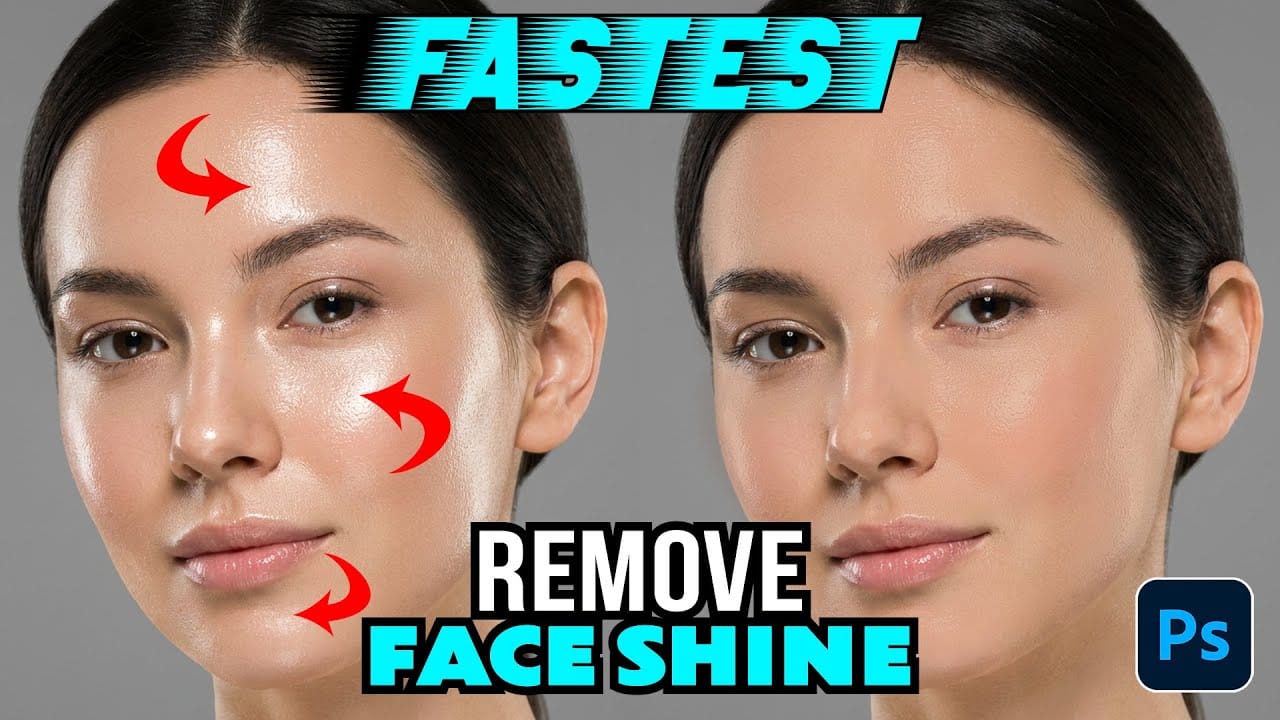
How to Remove Shiny Skin with Selective Color in Photoshop

How to Remove Shiny Skin with Selective Color in Photoshop

Skin shine can ruin an otherwise perfect portrait, creating distracting bright spots that draw attention away from your subject. Using Photoshop's Selective Color adjustment layer combined with layer masking provides precise control over these problematic highlights. This technique targets only the brightest areas of skin and allows you Read the full article here: How to […]

Read more: How to Remove Shiny Skin with Selective Color in Photoshop
How to Change Photo Backgrounds with AI While Preserving Professional Quality

How to Change Photo Backgrounds with AI While Preserving Professional Quality

Professional background replacement has traditionally required hours of meticulous masking and lighting adjustments in studio settings. Modern AI tools now offer an alternative approach that can change backgrounds while maintaining the original subject's lighting, hair detail, and pixel-level precision that photographers demand. This technique combines AI generation with Read the full article here: How to […]

Read more: How to Change Photo Backgrounds with AI While Preserving Professional Quality
How to Enhance Skin Tones Using Gradients in Photoshop

How to Enhance Skin Tones Using Gradients in Photoshop

Skin tones often appear washed out or lifeless in photographs due to challenging lighting conditions or camera settings. This gradient-based technique brings vibrancy back to portraits while creating natural-looking dimensional highlights that draw the viewer's eye to key facial features. The method uses Color Range selections combined with Read the full article here: How to […]

Read more: How to Enhance Skin Tones Using Gradients in Photoshop
How to Convert a Portrait Photo into a Black and White Logo Design

How to Convert a Portrait Photo into a Black and White Logo Design

Portrait photos can be transformed into bold, graphic logos with the right combination of filters and adjustments. This technique uses Gaussian blur and threshold adjustments to convert photographs into high-contrast black and white designs suitable for branding, badges, or stamps. The process involves subject isolation, smart filtering, and precise path Read the full article here: […]

Read more: How to Convert a Portrait Photo into a Black and White Logo Design