
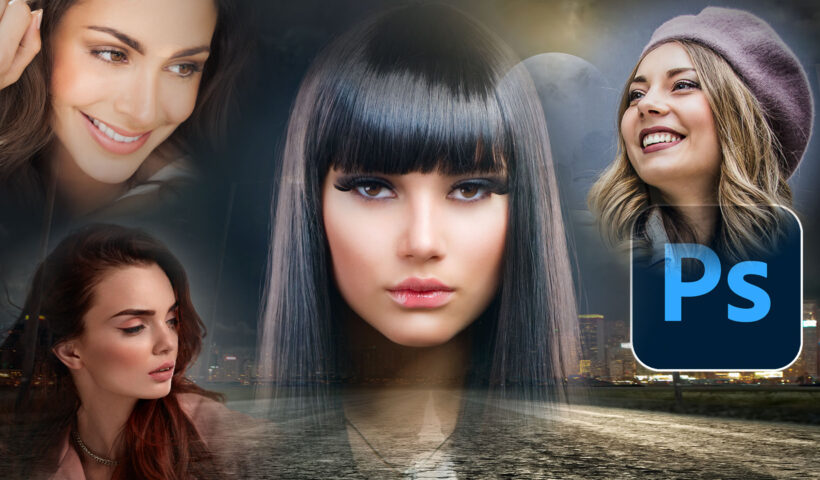
How to easily create the floating heads effect used on movie posters We have all seen the floating heads effect on posters, magazine and album covers, you name it. We combine different pictures and seamlessly…
View More How to Seamlessly Blend faces into background in Photoshop using new radial gradientsCategory: News
Get Early Access to a New Way to Edit in Lightroom for Mobile
Just this week a new option appeared in the App Settings for Lightroom on mobile devices (iOS/Android) labelled Early Access. Once enabled, you can test drive a more simplified editing interface and give Adobe feedback…
View More Get Early Access to a New Way to Edit in Lightroom for MobileHow to Extend a Video in Photoshop with Generative Fill, ai Cinemagraph
This tutorial shows you how to extend a video to change its shape with Generative Fill in Photoshop. Because we are using Generative Fill, it’s only found in the Photoshop beta at the moment. Here…
View More How to Extend a Video in Photoshop with Generative Fill, ai CinemagraphChanging The Background Color Behind Your Images
This is a quick one, and it answers a question posed by one of my readers (John McGill) on Friday. He asked if there was any way to change the background color in the main…
View More Changing The Background Color Behind Your ImagesLightroom Q&A Day
Q. Why is it that sometimes in Lightroom, when I go to the White Balance presets menu, I get a list of a bunch of different white balance presets, and sometimes I only get two…
View More Lightroom Q&A DayObject selection tool in Photoshop got an update. How to make quality ai selections
Adobe updated the Algorithm in Object finder and it’s finally a viable alternative to Select Subject. In this tutorial, we will look at how Object Selection differs from Select subject. Then we will do a…
View More Object selection tool in Photoshop got an update. How to make quality ai selectionsQuick Easy Background Change By Pulling a Color From the Image Itself
Here’s a quick easy technique using Lightroom’s masking feature where you’re assured the color you choose will work with what your subject is wearing, because you’re pulling a color from the image itself (it’s better…
View More Quick Easy Background Change By Pulling a Color From the Image ItselfWhat’s new In Photoshop June 2023 – 24.6
New Features In Photoshop 2023 v 24.6 (June 2023) In this tutorial, we will focus on the shipping version of Photoshop and conventional features. I have previously covered lots of Generative Fill tutorials, and will…
View More What’s new In Photoshop June 2023 – 24.6